Important Notice
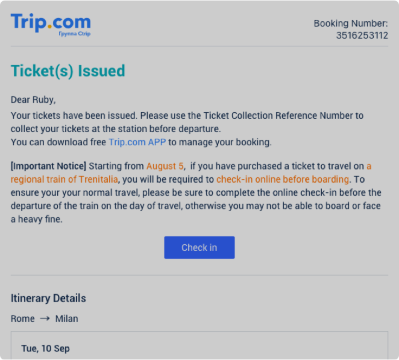
1. As of August 5, if you book a ticket to travel on a regional train of Trenitalia, you will be required to check in online before boarding.
2. To ensure a smooth trip, please be sure to complete online check-in before departure, otherwise you may not be able to board or face a heavy fine.
How do I check in?
Step 1: Find the "Check In" button.
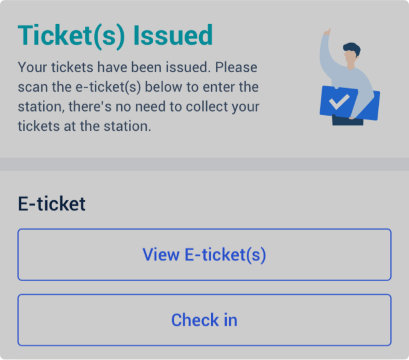
• Once ticket(s) have been issued, you can find the "Check In" button on the booking details page.
• Alternatively, you can find this button in the email you receive from Trip.com after ticket(s) have been issued.
Step 2: Check in online
• Select "Check In", and you'll be redirected to the Trenitalia website where you can view all of the information related to your booking.
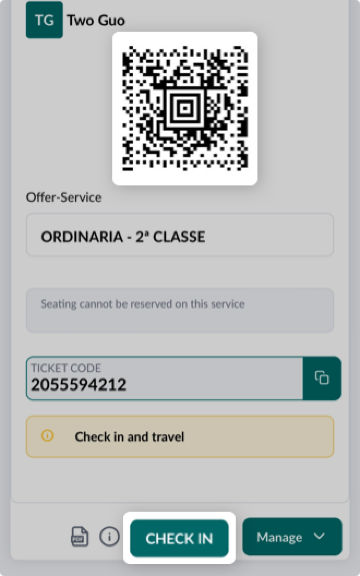
• Once you've checked in, you'll get a QR code which you can use to travel.
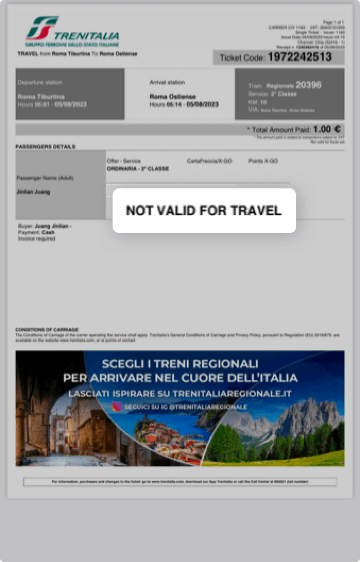
• The original PDF you received cannot be used to travel.